Technology knowledge for the next generation of fire response.
A practical technology-awareness resource from Apollo NZ Global for firefighters, officers, instructors and industrial response teams exploring what robotic systems can contribute—and where their limits begin.
8 learning topics Three audience pathways Knowledge self-check
Educational content only. This is a technology-awareness resource, not an accredited course, professional competency assessment, certification, tactical directive or authority to deploy equipment. Fire services must follow their own procedures, incident command, manufacturer instructions, qualified training and applicable standards.
CHOOSE YOUR STARTING POINT
Learning pathways for different teams.
Choose the perspective closest to your work. All eight introductory topics remain accessible whichever path you select.
CURRENT PATHWAY
Firefighters & crews
Understand what robotic fire-response equipment can and cannot do, the information it provides and why operator and incident-command decisions remain central.
Remote-control fundamentals
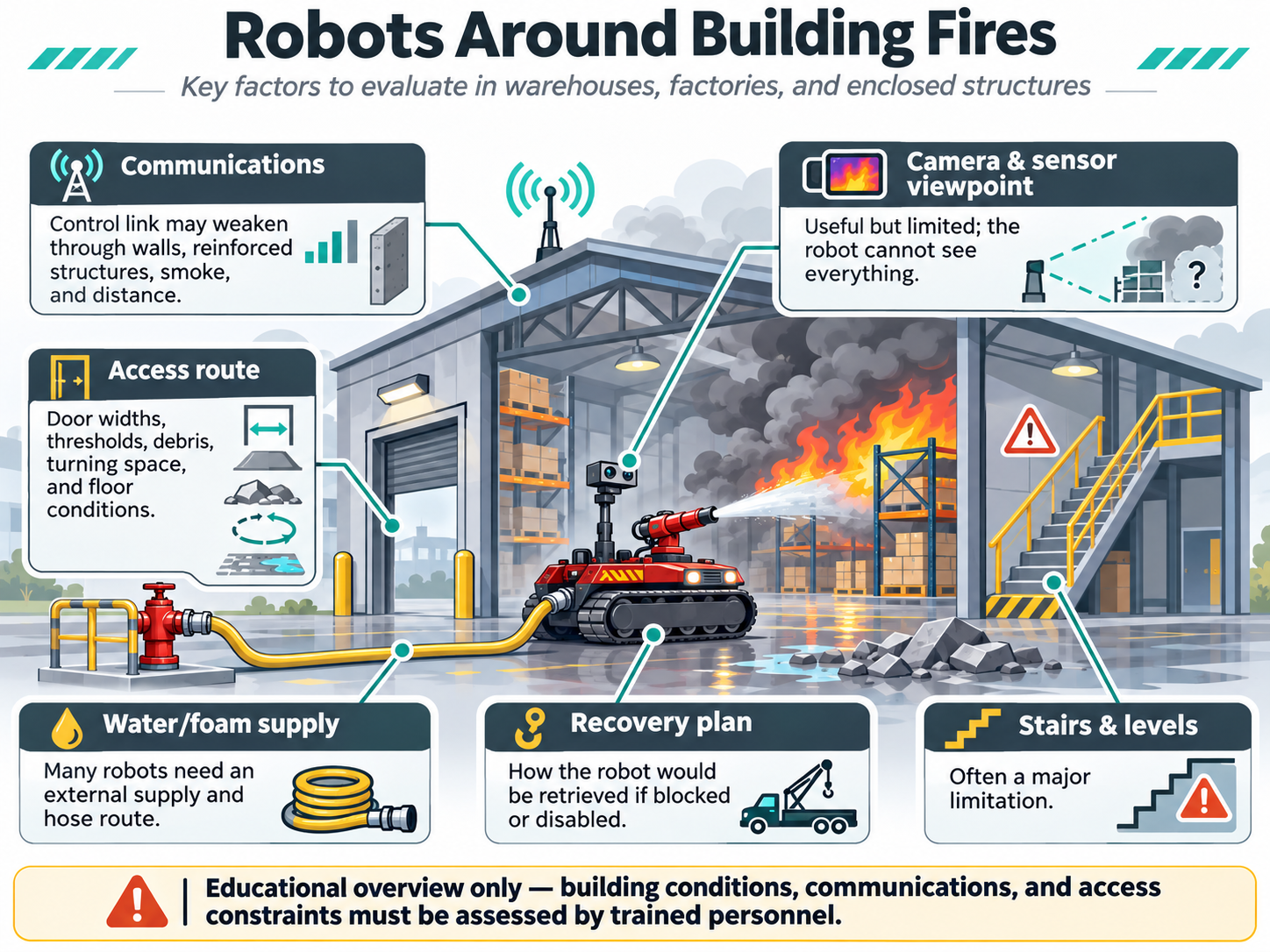
Building-fire constraints
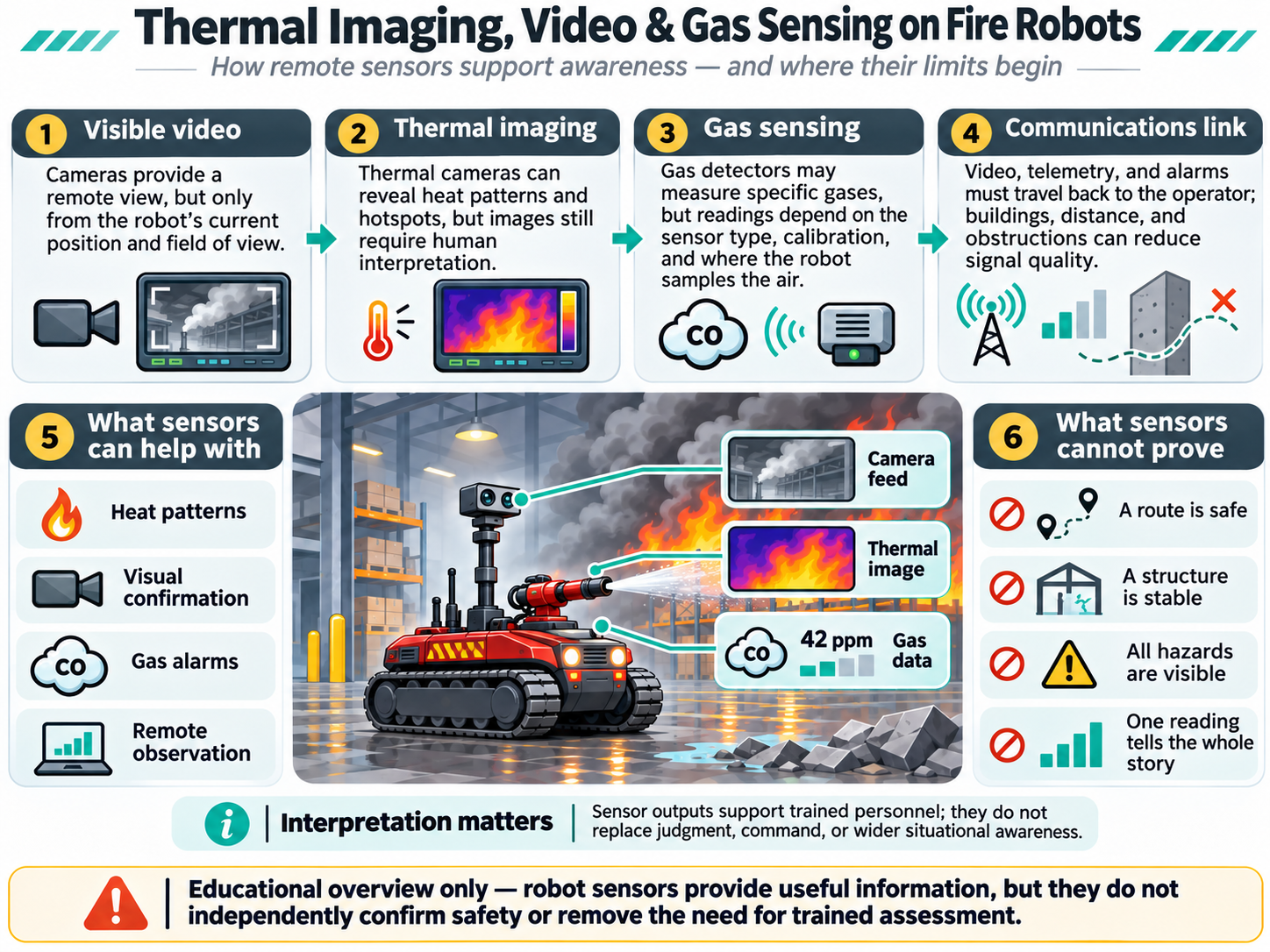
Understanding live sensor information
FOUNDATION TO SPECIALIST AWARENESS
Eight illustrated lessons to explore.
Start with the most relevant topics for your pathway. Every lesson includes an original visual guide, with a full-resolution diagram available on the lesson page.
01 / FOUNDATIONS6-minute reading
What firefighting robots actually do
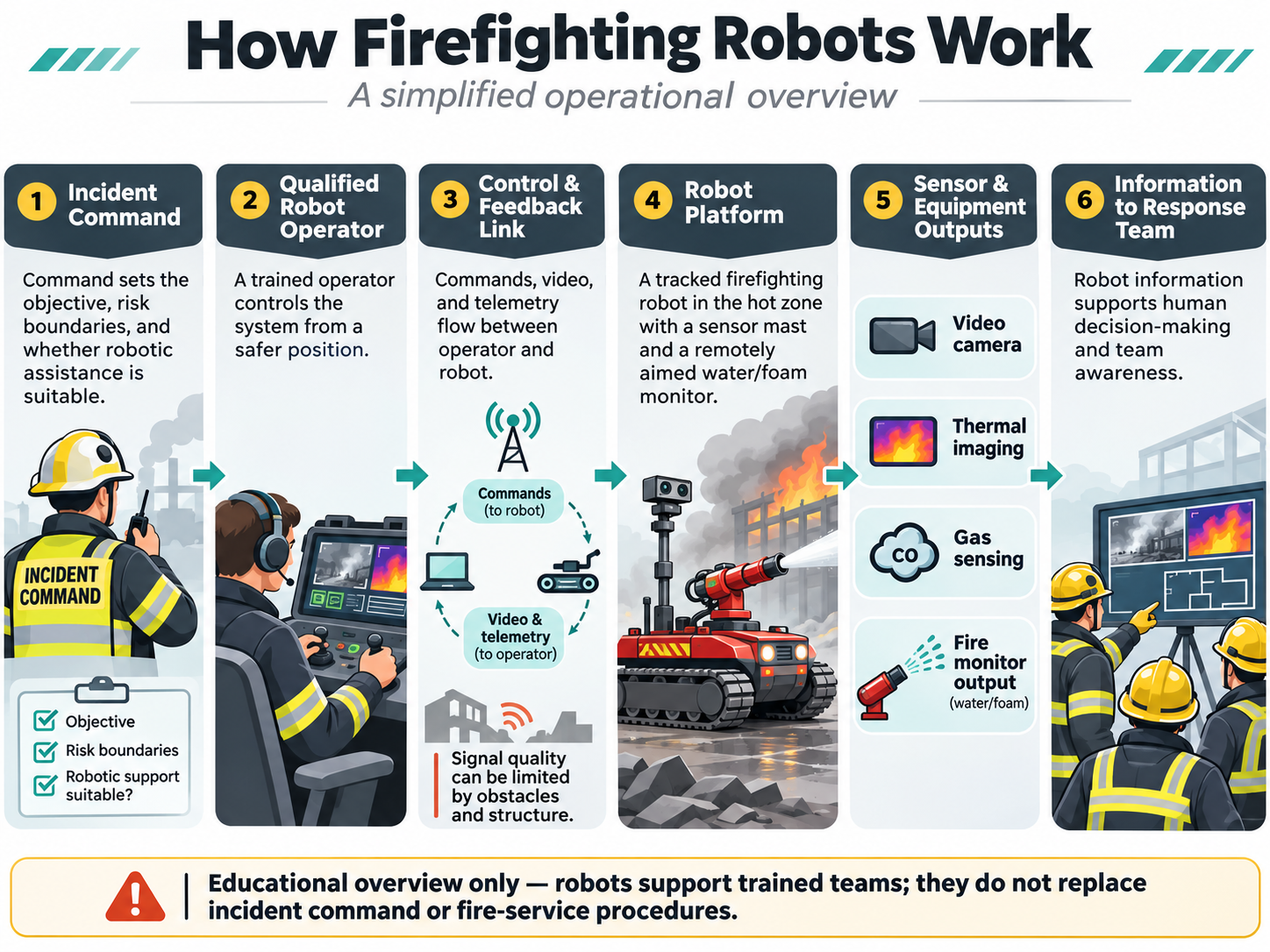
Learn the difference between remote-controlled, semi-autonomous and autonomous equipment—and why robotics should support, not replace, the incident command system.
Three learning points
Remote operation allows a human to control a machine from a more distant position; it does not remove all incident risk.
A mobile fire monitor, reconnaissance robot, ventilation fan and rescue platform solve different tasks.
Robot capabilities must be matched to the environment and proved through relevant testing.
Introducing robotics to a fire service or industrial team
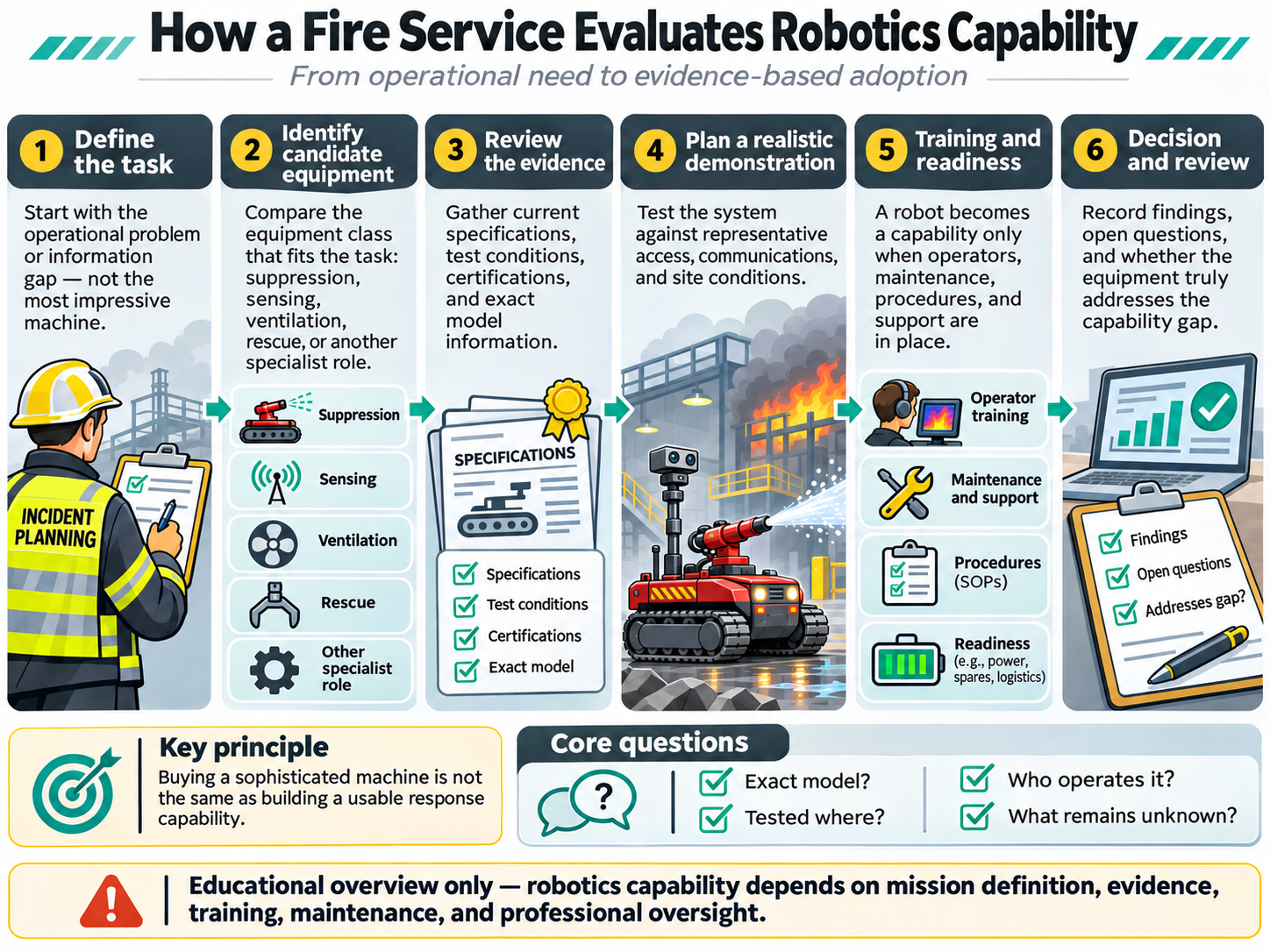
Build a realistic capability assessment before making a purchasing decision: job definition, evidence, demonstrations, operator training and ongoing maintenance.
Three learning points
Start with the operational gap, not the most impressive robot.
Ask manufacturers for test methods, exact model records, safety evidence and practical demonstrations.
Evaluate communications, loss-of-signal response, site conditions, recovery and support with qualified specialists.
Browse the approved diagrams by topic, compare the equipment concepts at full resolution, and use the accompanying lessons to discuss what robotic technology can—and cannot—tell response teams.
Browse by topicFull-resolution PNGCompanion lessons
From conceptual diagrams to actual machine footage.
We are building a separate library of TOPSKY and Guoxing demonstrations, with each clip checked for original source, exact product model, written permission and the limits of what the footage proves.
Explore the demonstration review library Manufacturer clips remain unpublished until rights and technical evidence are confirmed. Our eight original diagrams are not product videos.
REAL FOOTAGE · NOT CONCEPT ARTSource-verified. Model-verified. Rights-approved.
Only cleared demonstrations may be displayed or linked to individual lessons as approved media.
INSTRUCTOR & TEAM DISCUSSION
Scenario-led learning, without pretending to be live-fire training.
These prompts are designed for classroom discussion and planning, not for making operational decisions during an incident.
SCENARIO 01
Warehouse or large building
An enclosed industrial facility with smoke, obstructions and uncertain radio coverage.
Discuss together
What does a remote platform need to negotiate? Which information can a camera provide—and what cannot be inferred from it?
Evidence to request
Access route, control link, hose management, smoke conditions and incident-command authority.
SCENARIO 02
Petrochemical process area
A site with potentially hazardous atmospheres and existing pressurised fire-water systems.
Discuss together
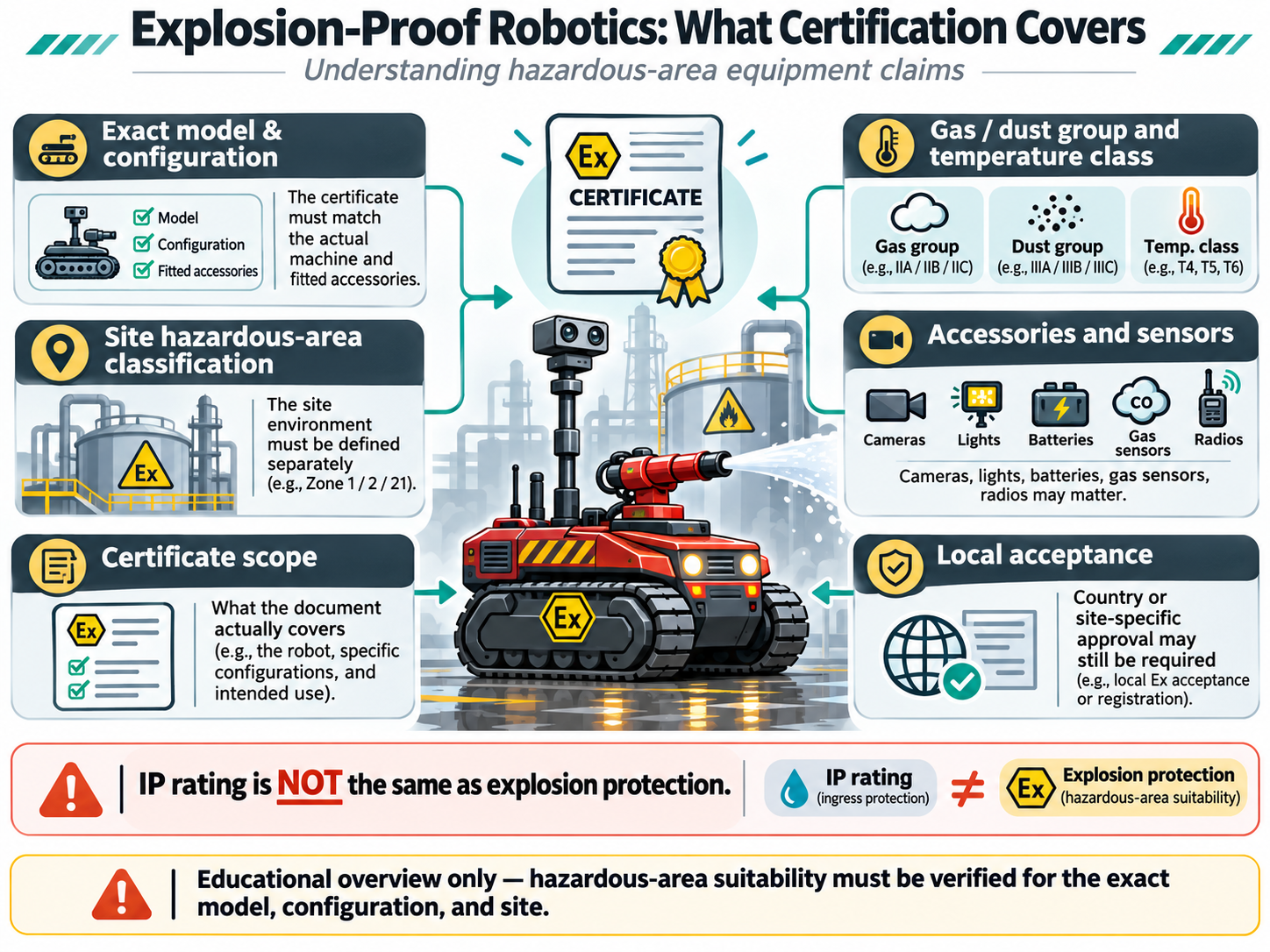
What certification applies to the exact robot and sensors? What does the site's hazardous-area classification require?
Evidence to request
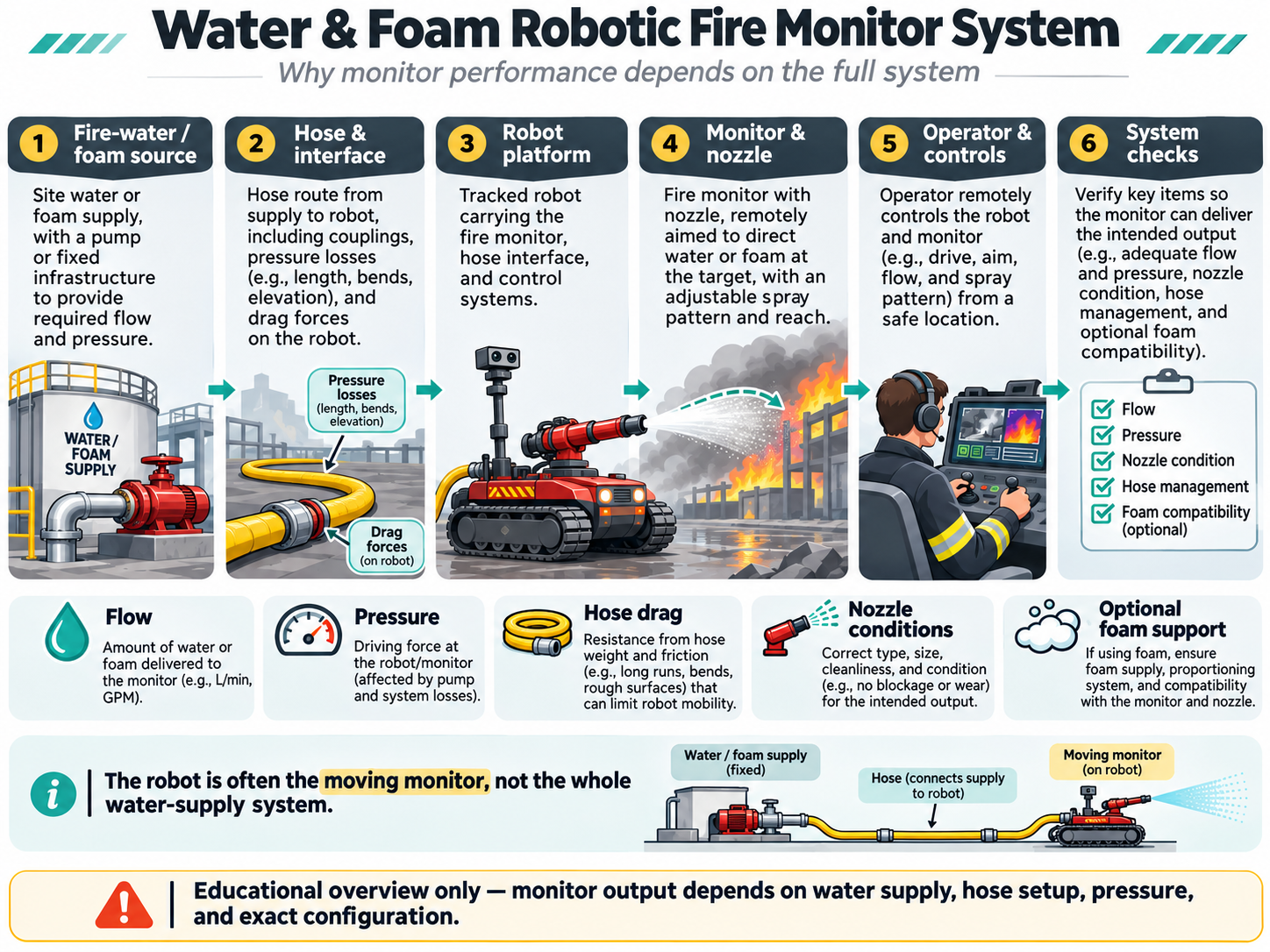
Complete-machine evidence, gas-zone suitability and water/foam interface.
SCENARIO 03
Tunnel or underground site
An area with limited access, changing visibility and a site-specific ventilation strategy.
Discuss together
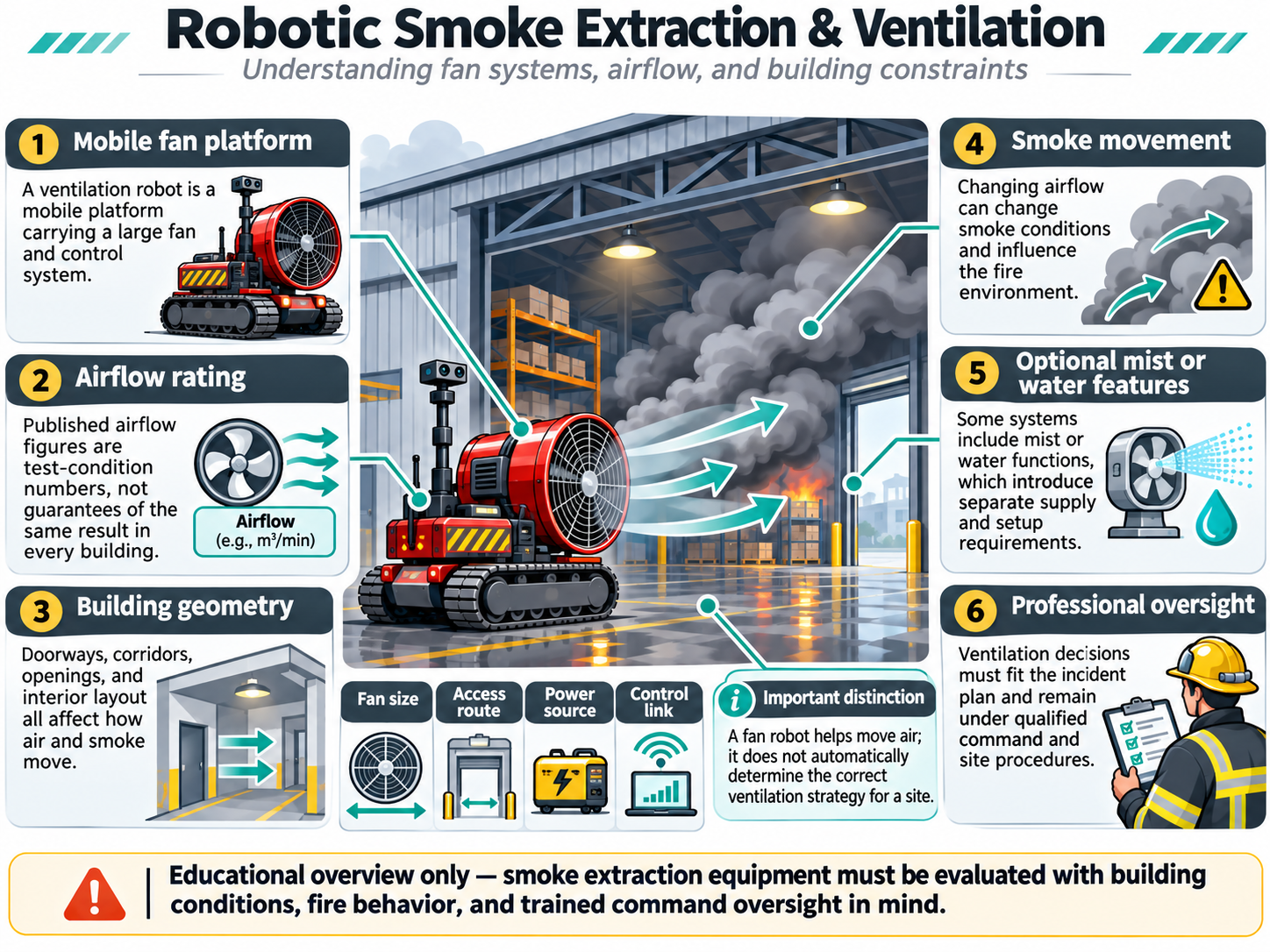
What communication options exist underground? How should robot fans relate to fixed ventilation and incident plans?
Evidence to request
Geometry, radio limits, fan evidence and qualified smoke-management review.
SCENARIO 04
Wildland-industrial boundary
A remote site where vegetation, uneven terrain and water availability are critical.
Discuss together
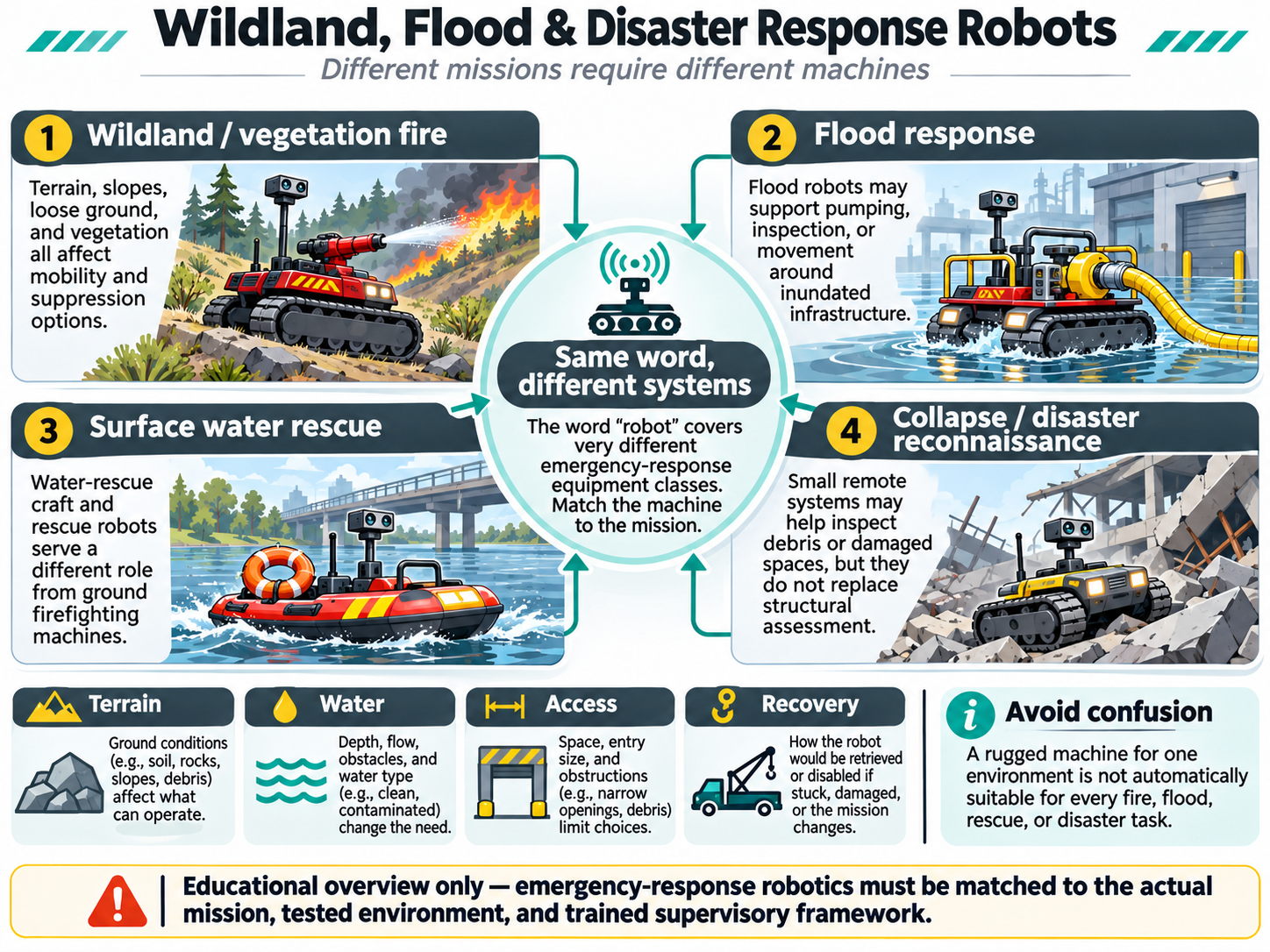
Which operational task needs robotic assistance—observation, suppression or vegetation management?
Evidence to request
Terrain tests, transport, water logistics and trained response arrangements.
FOR TRAINERS & FIRE SERVICE OFFICERS
Bring the lessons into your training room.
Use a structured 45-minute conversation to discuss equipment classes, building or site constraints, model-specific evidence and the boundaries of human responsibility. Print the resource or save it as a PDF from your browser.
Open the instructor briefing pack Non-accredited technology-awareness material. Not a deployment exercise or operational competency assessment.
Supplier evidence checklist, discussion prompts and a printable response sheet.
PERSONAL KNOWLEDGE CHECK
Five questions. No pass certificate.
Check your understanding of foundational equipment concepts. This is not an operational competency test.
0 of 5 responses selected
FURTHER READING
Learn directly from fire research and response organisations.
These independent external sources provide additional professional context. Apollo is not affiliated with or endorsed by them. Their courses and publications have their own requirements.
Explore the KERVYNT equipment collection and detailed purchasing guide once your team has defined the response task, site conditions and specialist training requirements.
Essential site functions work without analytics. With your permission, Apollo measures which products and project pages are useful. Analytics stays off unless you allow it.